Manage WhatsApp Conversations Inside Connect-CRM
Reply to WhatsApp messages directly from your CRM, keep every chat linked to the right contact, and never lose track of a lead.
14-day free trial on Scale, no credit card required
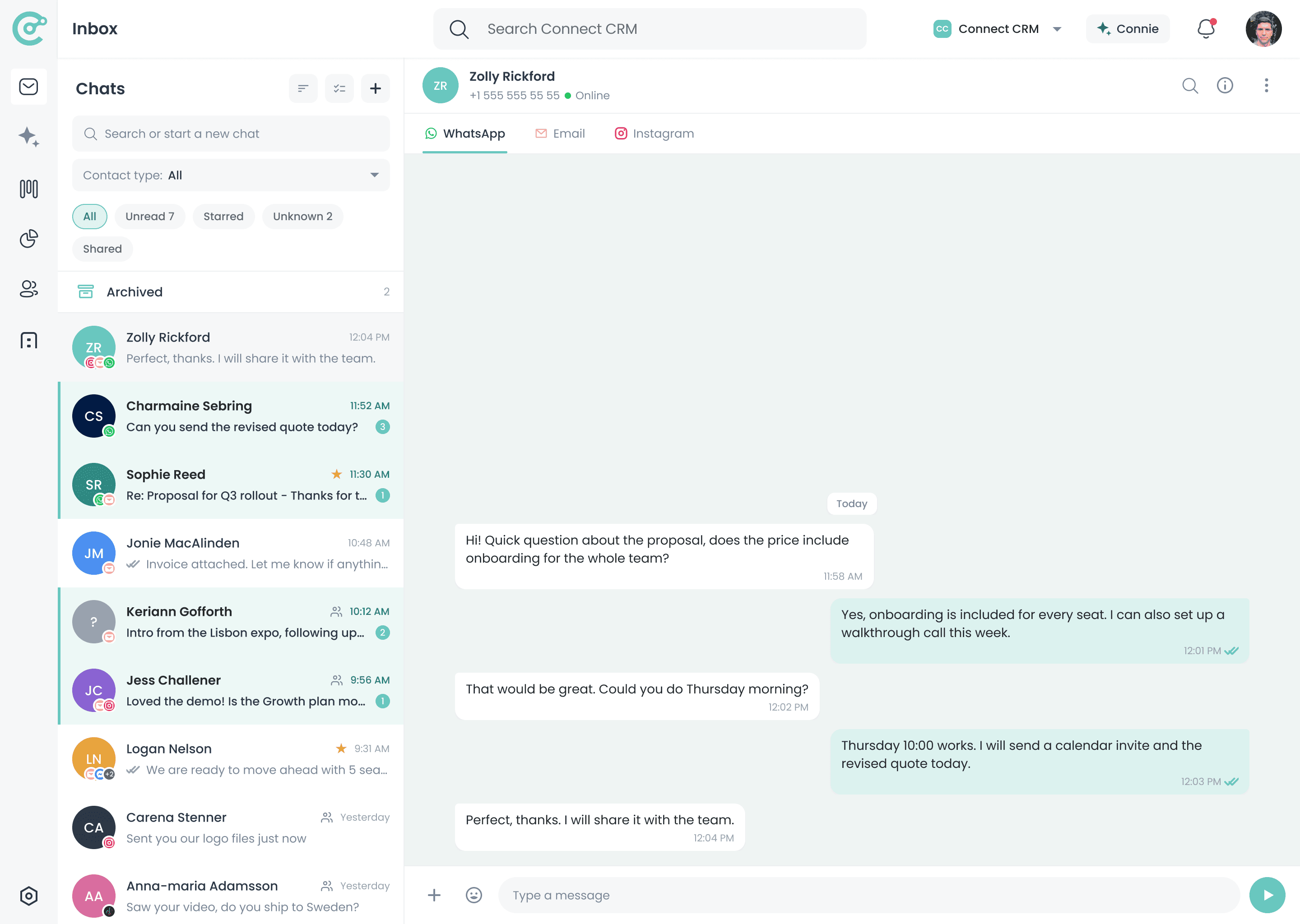
WhatsApp, right inside your Unified Inbox
Client Chats Should Not Live on a Personal Phone
WhatsApp is where a lot of sales conversations actually happen. But when those chats sit on individual phones, the rest of the team cannot see them, context does not reach the CRM, and follow-ups depend on whoever owns the device.
Without WhatsApp in Your CRM
- Chats stay on personal devices your team cannot see
- Deal context never reaches the CRM
- Follow-ups depend on one person remembering
- Conversation history leaves when a rep does
With Connect-CRM
- WhatsApp messages appear inside your CRM workspace
- Chats stay linked to contacts and opportunities
- Your team shares one conversation history
- Follow-ups sit next to the rest of the pipeline
Why Connect WhatsApp to Connect-CRM?
Reply Without Switching
Linked to Contacts
Shared Team History
One View of the Client
How the WhatsApp Integration Works
Connect your WhatsApp Business number, bring client chats into your CRM, and keep every conversation linked to the right contact.
Connect WhatsApp
Chats in the Unified Inbox
Review Client Context
Reply and Follow Up
Answer With the Full Relationship in View
A quick WhatsApp reply is easier to get right when you can see who you are talking to. Connect-CRM shows contact details, opportunity status, notes, and previous messages next to the conversation.
- See contact details next to the chat
- Review related opportunities and deal stage
- Add notes or follow-up tasks
- Keep every message connected to the relationship history
Hi, are you still able to send the revised pricing this week?
Absolutely. Sending it over before Friday.
Perfect, thanks. I will share it with the team.
- Reply
- Add note
- Create task
- Deal value
- Editable in product
- Next task
- Follow up Friday
WhatsApp Works Better When It Is Connected to Every Channel
A client might message you on WhatsApp, reply to an email, and then confirm on Instagram. Connect-CRM keeps those touchpoints together so you can follow the client relationship, not the platform.
WhatsApp Is Included in Every Plan
Start with WhatsApp and your essential communication channels, then unlock more integrations as your workflow grows.
Starter
€39/user/mo
WhatsApp included
Growth
€69/user/mo
WhatsApp included
Scale
€129/user/mo
WhatsApp included
WhatsApp is available on all plans: Starter, Growth, and Scale. Additional WhatsApp Business numbers are €15 per month per number. WhatsApp conversation fees charged by Meta are passed through at cost and itemized on your invoice.
Explore More Integrations
Connect WhatsApp with the other channels your clients use every day.
Facebook Messenger
Keep page enquiries linked to the right contact.
Learn moreTurn Instagram conversations into trackable relationships.
Learn moreClaude
Connect Claude to your CRM so it can read context and act on your data.
Learn moreGmail
Keep client emails connected to contacts and deals.
Learn moreFrequently Asked Questions
Bring WhatsApp Into Your Sales Workflow
Start your 14-day free trial of Scale and manage client chats, contacts, and follow-ups from one connected workspace.