Turn Instagram Conversations Into Client Relationships
Turn Instagram conversations into trackable client relationships, linked to the right contact alongside every other channel you use.
14-day free trial on Scale, no credit card required
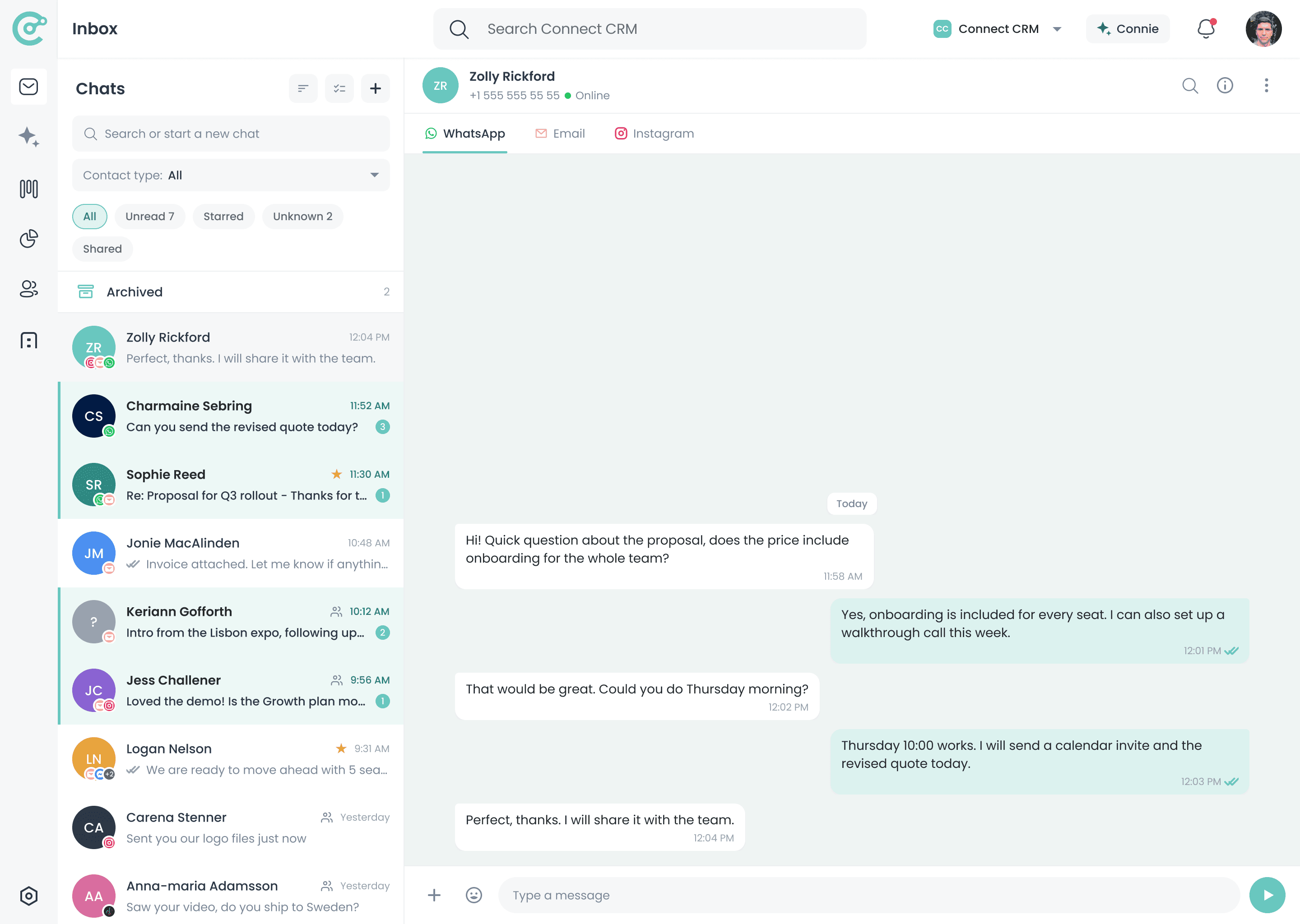
Instagram, right inside your Unified Inbox
A Direct Message Is a Lead, If Anyone Writes It Down
Instagram is where a lot of interest first shows up. But direct messages are easy to answer and forget: there is no deal attached, no follow-up scheduled, and no trace of it in the CRM a week later.
Without Instagram in Your CRM
- Direct messages never become tracked leads
- Follow-ups depend on remembering to check the app
- The CRM has no record of the conversation
- Interest goes cold between replies
With Connect-CRM
- Instagram messages appear in your CRM workspace
- Conversations stay linked to contacts and opportunities
- Follow-up tasks sit next to the rest of your pipeline
- Social interest turns into a tracked relationship
Why Connect Instagram to Connect-CRM?
Messages in One Place
Linked to Contacts
Nothing Slips
Full Relationship View
How the Instagram Integration Works
Connect your Instagram account, bring conversations into your CRM, and keep every message linked to the right contact.
Connect Instagram
Messages in the Unified Inbox
Decide Who Becomes a Contact
Reply and Follow Up
Know the Relationship Behind the Message
A direct message means more when you can see the history behind it. Connect-CRM shows contact details, opportunity status, notes, and previous communication next to the conversation.
- See contact details next to the conversation
- Review related opportunities and deal stage
- Add notes or follow-up tasks
- Keep social touchpoints in the relationship history
Hi, are you still able to send the revised pricing this week?
Absolutely. Sending it over before Friday.
Perfect, thanks. I will share it with the team.
- Reply
- Add note
- Create task
- Deal value
- Editable in product
- Next task
- Follow up Friday
Instagram Works Better When It Is Connected to Every Channel
Someone might send a direct message, switch to email for the details, and confirm on WhatsApp. Connect-CRM keeps those touchpoints together so you can follow the client relationship, not the platform.
Instagram Is Included in Every Plan
Start with Instagram and your essential communication channels, then unlock more integrations as your workflow grows.
Starter
€39/user/mo
Instagram included
Growth
€69/user/mo
Instagram included
Scale
€129/user/mo
Instagram included
Instagram is available on all plans: Starter, Growth, and Scale.
Explore More Integrations
Connect Instagram with the other channels your clients use every day.
Frequently Asked Questions
Bring Instagram Into Your Sales Workflow
Start your 14-day free trial of Scale and turn social conversations into tracked client relationships.