Every Contact, Every Conversation, One Profile
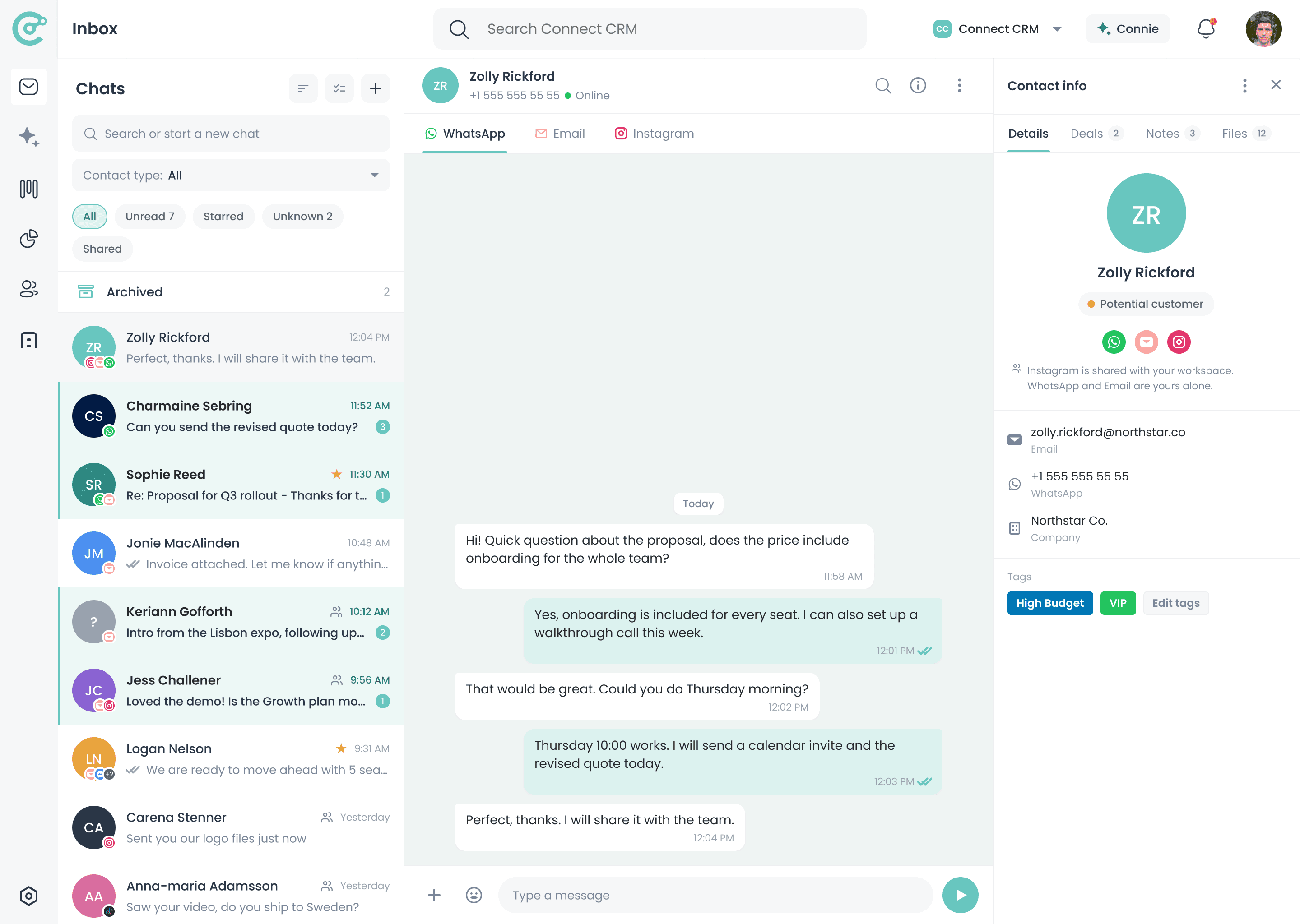
Keep contacts, conversations, and deals connected. When a new person messages you, Connect-CRM prompts you to add or deny them, keeping your CRM clean and complete.
14-day free trial on Scale, no credit card required
Hi, I saw your proposal and wanted to ask about timelines.
One profile per client, across every channel
A CRM Is Only Useful If the Data Stays Clean
Contacts arrive from every direction: email, messaging apps, social. When each channel keeps its own version of a person, the CRM fills with duplicates and half-finished records that nobody trusts.
Without Smart Contacts
- The same client exists under several records
- Spam and cold outreach clutter the database
- Conversation history is split across channels
- Notes and tasks live somewhere other than the contact
With Connect-CRM
- You approve who enters the CRM in the first place
- Irrelevant messages never become contacts
- Every channel attaches to one client profile
- Notes, tasks, and deals sit on that same profile
Why Contact Management Matters
You Decide Who Gets In
One Profile Per Client
Context Where You Need It
A Database You Trust
How Contact Management Works
Approve new contacts, keep every conversation attached to the right profile, and work from a record that stays complete.
Someone New Messages You
Accept or Deny
Conversations Attach
Work From the Profile
Decide Who Enters Your CRM
Not every message belongs in your sales workflow. When someone new contacts you, Connect-CRM can prompt you to accept or deny the contact before adding them, which keeps your inbox focused and your data cleaner.
- Accept new leads into your CRM
- Deny irrelevant or unwanted messages
- Reduce spam and unnecessary clutter
- Keep your contact database cleaner
Contact Management Is Included in Every Plan
Every plan includes contact management. What changes between plans is how many active contacts you can keep.
Starter
€39
per user / month, billed annually
Included
500 active contacts
Growth
€69
per user / month, billed annually
Included
2,000 active contacts
Scale
€129
per user / month, billed annually
Included
Unlimited active contacts
Additional active contacts beyond your plan limit are available as an add-on. See the pricing page for details.
Frequently Asked Questions
Keep Every Client Record Clean and Complete
Start your 14-day free trial of Scale and bring contacts, conversations, and deals into one connected profile.